Camera manager-type class that allows easy camera switching/handling.
More...
#include <MultiVision.h>
Camera manager-type class that allows easy camera switching/handling.
| ADBLib::MultiVision::MultiVision |
( |
| ) |
|
Constructor; sets the current enabled camera to nullptr.
| Camera * ADBLib::MultiVision::getCamera |
( |
string |
camName | ) |
|
Gets a camera with the given name.
- Parameters
-
| camName | The name of the camera. Found in the roboRIO. |
- Returns
- A camera object. Should never be nullptr.
- Note
- If a camera under the given name is not found, creates a new one under the given name!
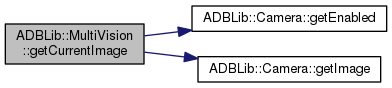
| Image * ADBLib::MultiVision::getCurrentImage |
( |
| ) |
|
Gets an image from the current camera.
- Returns
- An IMAQ_IMAGE_RGB image object thingy.
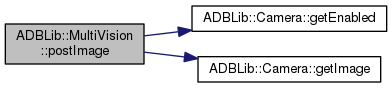
| void ADBLib::MultiVision::postImage |
( |
| ) |
|
Post an image from the current camera to the Camera Server (i.e. to the dashboard)
| bool ADBLib::MultiVision::switchCamera |
( |
string |
camName | ) |
|
Switches to the new camera, automatically stopping the previous camera and starting the new one.
- Parameters
-
| camName | The name of the camera. This can be found through the roboRIO web page. |
- Returns
- Status of the new camera; true for enabled, false otherwise.
- Note
- If the camera you specified does not exist, a new camera will be created using the name you specified.
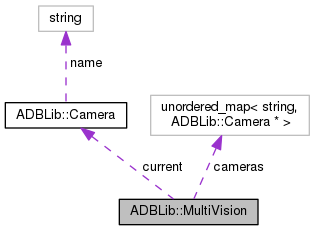
| unordered_map<string, Camera*> ADBLib::MultiVision::cameras |
|
protected |
| Camera* ADBLib::MultiVision::current |
|
protected |
The documentation for this class was generated from the following files:

 1.8.8
1.8.8 
